Ask for help
Send a to-do to a family member and they answer “I'll do it” or “Can't”. When it's done, your screen shows “Mom done · 19:40” right away.

해줄래 · Formerly Pushbin (notification archive)
“Can you do this?” Ask, then finish it together
Haejullae (Korean for “Could you do it?”) is a to-do app for families. Create a family space with one invite link, ask each other for help, share the shopping list, and see who took what and who finished it. No sign-in, free to use, and the to-dos, routines, widgets, and timer work just as well on your own.
In October 2026 the notification archive and spending tracker Pushbin became the family to-do app Haejullae. It is the same app, so just update it. The notification archive and spending tracker have ended, and updating removes the old notification history.
com.hj.pushbin · version 2.7.0
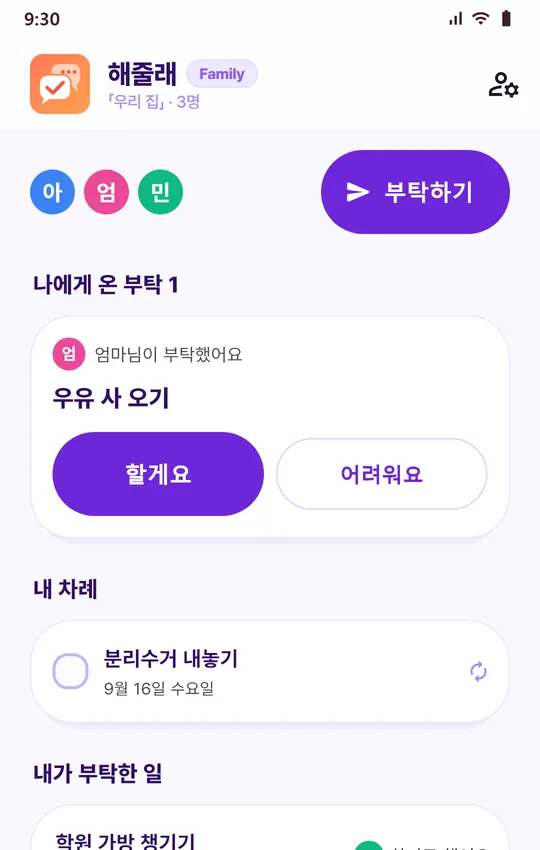
Swipe to see eight screens. The app is in Korean; names and to-dos are sample data.
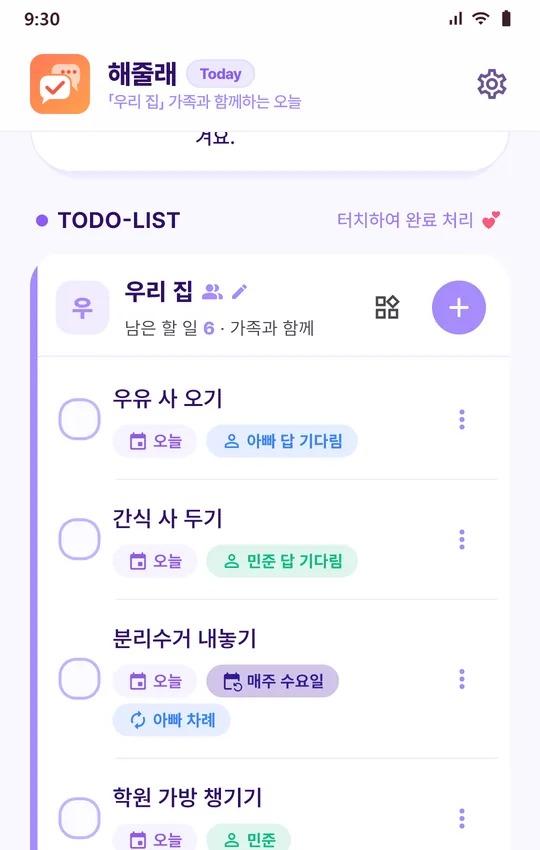
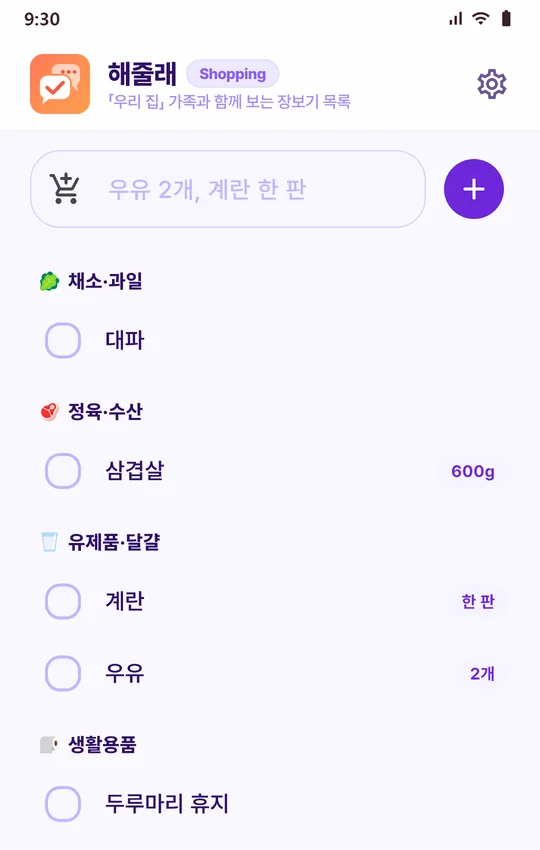
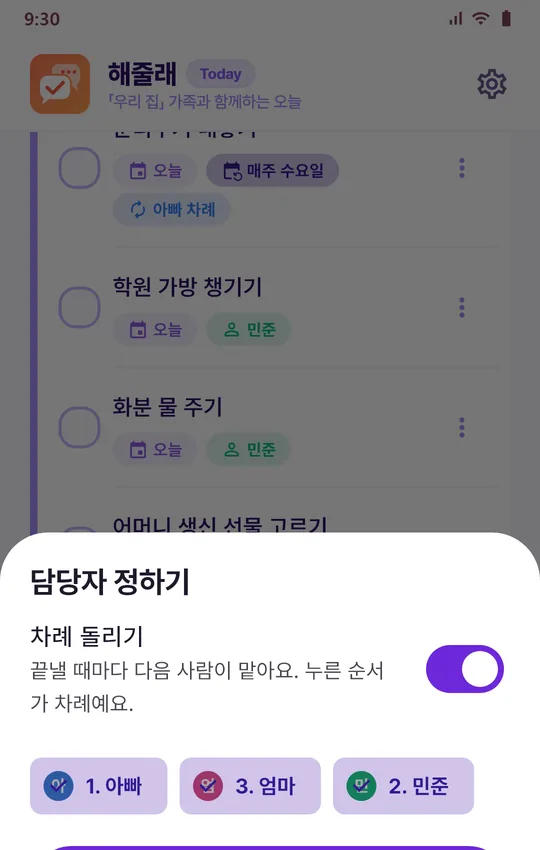
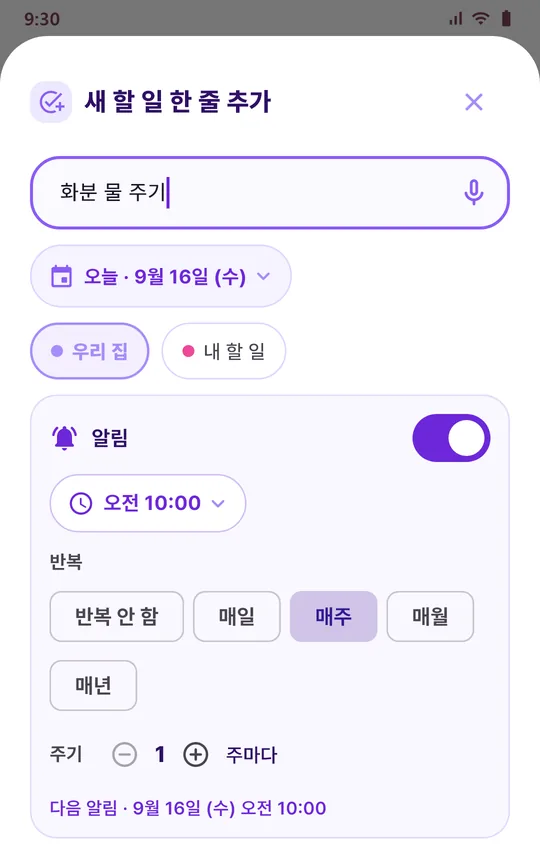
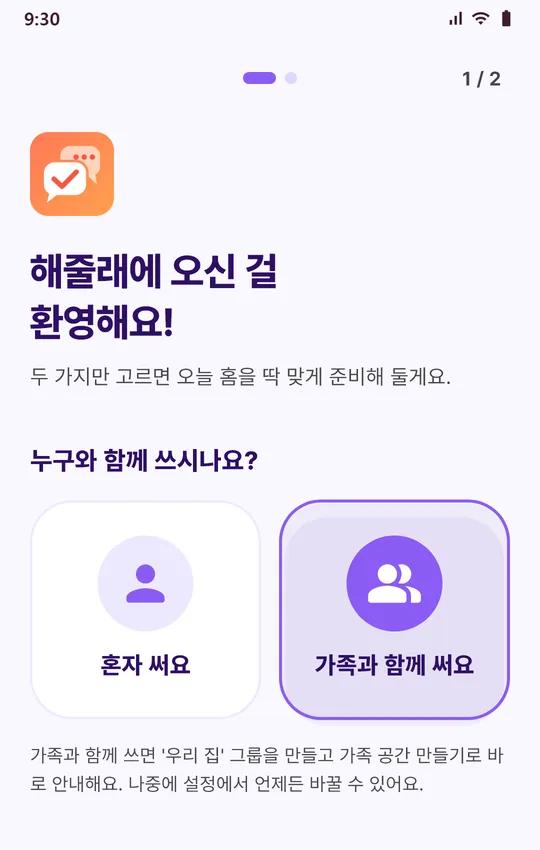
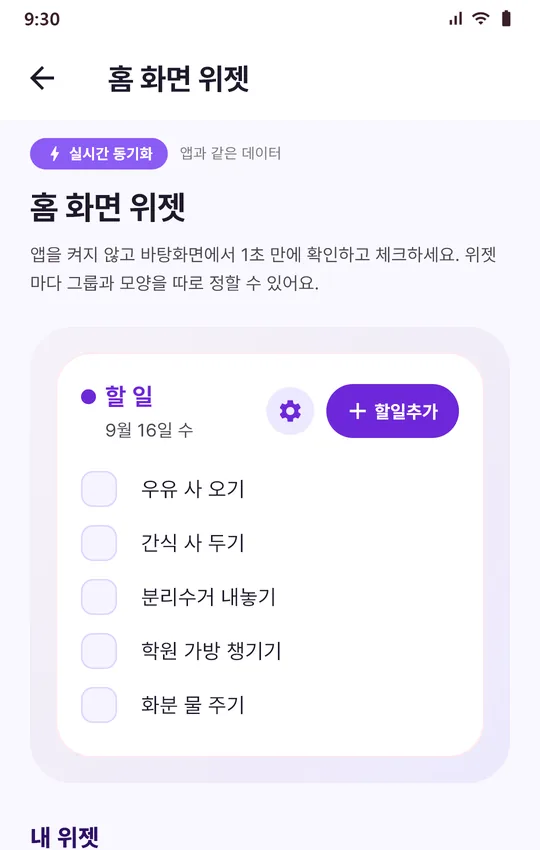
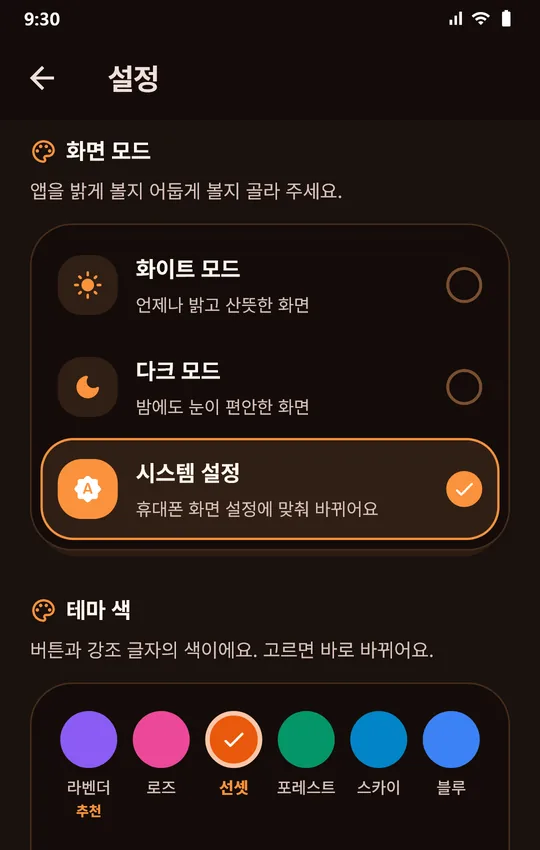
Once everyone joins a family space, the shared groups' to-dos and the shopping list appear on every phone.
Send a to-do to a family member and they answer “I'll do it” or “Can't”. When it's done, your screen shows “Mom done · 19:40” right away.
For chores that repeat, like recycling or dishes, the next person takes over each time. The card shows whose turn it is.
Type several items and quantities on one line and they are split, sorted into produce, meat, dairy, and more in store order. Keep separate lists per store.
See what the family finished and react with 👍❤️👏🙏. Only members of the same family space can leave and read 💬 comments on shared to-dos.
Get notified when someone asks or finishes. Alerts within five minutes are bundled, and those between 9 PM and 8 AM arrive together at 8 AM.
Share a message from KakaoTalk or SMS to Haejullae: the first line becomes the title, and dates and times like “tomorrow at 3” fill in the reminder.
There is no sign-up or sign-in. A family space can only be joined with its invite code.
Choose “with family” during setup and an Our Home group is created. Creating the space shares that group right away.
Send the link by KakaoTalk or text. Tapping it opens the app, or shows the install link and invite code if the app isn't installed.
Everyone in the space sees and checks off the shared groups' to-dos, routines, and shopping lists. Leaving or deleting the space ends sharing.
Organize to-dos by group with daily, weekly, or monthly repeats and reminders. Long-press a group name on Today and drag to reorder.
Check off daily routines like medicine, cleaning, and laundry. Routines can be shared in a family space.
Look back at what you finished on each day.
Place a widget per group, choose its look, and check items off from the home screen.
A 3-2-1 countdown, then full-screen landscape timing. Also opens from a to-do's menu.
A daily quote and news by topic on one screen.
Tap the mic in quick add and say your to-do.
Six theme colors, light or dark mode, and in-app guides you can replay for each screen.
What stays on your phone, what goes to our server, and where ads appear.
There is no sign-in. Without family sharing, to-dos, routines, and history are stored only on your phone (SQLite). Backup files are saved wherever you choose.
Shared groups' to-dos, shared routines and recent check-ins, shopping lists, reactions and comments on shared to-dos, and the display names you choose are stored on our server and visible only to your family space. Only the author can delete a comment. Deleting the space removes them immediately, and spaces unused by everyone for 12 months are deleted automatically.
Sent through Firebase Cloud Messaging; the message contains a family member's name and part of the to-do title. Turn them off in the app or phone settings.
When the app opens it asks our server about new versions and sends install and usage statistics. Device identifiers are stored as a hash; names, phone numbers, and to-do contents are not sent. Firebase Analytics counts anonymous in-app activity such as screen views.
Banner ads appear on the Today and Settings screens. A one-time purchase (₩1,900) or a coupon removes them. Google Play handles payment.
Notifications for reminders and family alerts, exact alarms so reminders fire on time, and the microphone only when you use voice input. The old Pushbin notification access permission is gone; the app does not read other apps' notifications.
Start right away without signing in. Free on your own or with family, with banner ads.
Get it on Google Play